Create Texture
This option can be used to create repeating texture patterns. A texture is a special type of picture that can be tiled to create a seamless filled area, background or wallpaper. For example, examine the two pictures below. The one on the left is the original unmodified picture. The one on the right has been modified with the Create Texture option:

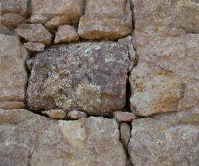
Original picture After Texture Process
The picture below shows the results when the finished texture is tiled using the Tile/Image Fill style:
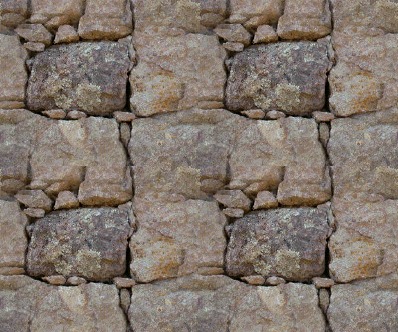
To use the Create Texture feature, first open or create a picture to use as a source for the texture pattern. Next, select Create Texture from PixelNEO's Picture menu.
This screen shows the original source picture and a preview of what the picture looks like when tiled. Use the Size, Fade and Distortion sliders to adjust the size, intensity and shape of the blended area. Some experimentation is usually required in order to find the best combination of settings.
When you are satisfied with the preview, click Apply make the changes permanent. The original source image will be modified, so if you don't want to replace it, make sure that you use Save As to store the modified picture under a different name.